01
Keep clock-ins within the authorized area
Create an area for each customer. Clock-ins are registered at the location defined by your company.
GPS time tracking
Prevent clock-ins at the wrong location, track your team and close the month with hours ready to review.
Brazilian MTP Ordinance No. 671/2021
The regulation covers electronic time records and the REP-P software-based system. Attendio keeps clock-ins, locations, records and reports in one organized history.
Final compliance also depends on each company's configuration and applicable obligations.Clear rules for everyone
Set an authorized area for each customer and let Attendio handle day-to-day validation.
Create an area for each customer. Clock-ins are registered at the location defined by your company.
Facial recognition helps identify the person at the moment they clock in.
Receive alerts for employees who started their shift and, more importantly, for those who did not show up.
The record stays saved on the device and syncs when the connection returns.
Close payroll without guesswork
Fewer spreadsheets, fewer disputes and more information to review before payroll.
See scheduled hours, worked hours, absences and balance without manual calculations.
Clock-ins, clock-outs, absences, notes and signatures stay in one report.
The employee requests a correction. The manager reviews the reason and approves or rejects it.
Compare hours by location and better understand each contract's labor cost.
Your operation during the day
From shift planning to live map tracking, everything stays in one view.
Set schedules by person, team or customer and make every shift clear.
See where each employee started their shift and track the field team.
Requests, approvals and notes stay visible on the team calendar.
On each employee's phone, a shared tablet or through a supervisor — with a history for every person.
Attendio for your industry
Choose the industry closest to your business and see how Attendio fits your team's routine.

Time tracking, checklists and proof for every cleaning job.

Teams, jobs and reports for each condominium.
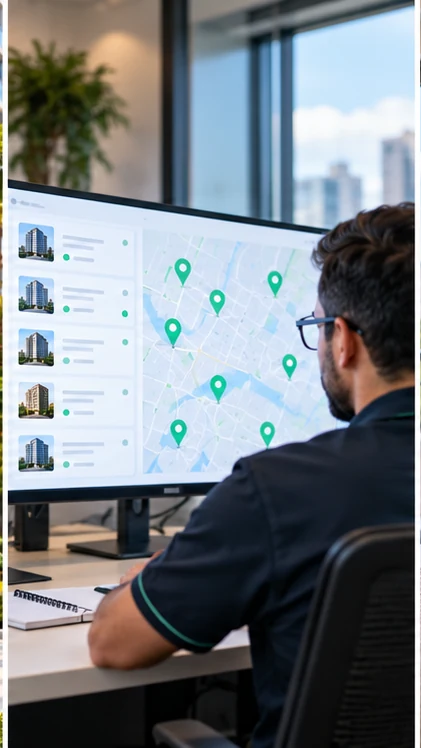
Contracts, locations and supervisors in one view.

Turnover routines with photos and checklists.

Work orders and field incidents.
Try it with your team
Tell us about your operation. We will help configure locations, authorized areas and initial schedules.
We will contact you to understand your operation. If you prefer, talk to us now on WhatsApp.
Continue on WhatsAppFrequently asked questions
 Inside the customer site